 English
 Kinyarwanda
How to Sell on HafiExpo: A Step-by-Step Guide for Rwandan Businesses
Learn how to start selling on HafiExpo: create your seller account, set up your shop, add products, take better photos, receive orders, manage delivery, promote your listings and build customer trust.

Selling on HafiExpo helps a business move from waiting for walk-in customers to reaching buyers online. Whether you sell phones, computers, furniture, food, fashion, restaurant items, construction materials, paid services, digital products or handmade goods, HafiExpo gives you a practical way to show products, receive orders and build trust.
This guide explains the selling journey in clear steps: create your seller account, prepare your shop, publish strong product listings, manage orders, arrange delivery and keep improving your sales.
1. Start with a clear business goal
Before you upload products, decide what you want HafiExpo to do for your business. You may want more daily orders, more visibility for your shop, better delivery organization, online payment options or a wider customer base across Rwanda.
A clear goal helps you choose the right products, photos, prices, delivery areas and promotion style.
2. Create a seller account
Open HafiExpo and choose the seller registration option. Use your correct business name, phone number, email address and location details. These details help customers recognize your shop and help the platform contact you when an order, payment or support issue needs attention.
If your shop already has a name customers know, use the same name online. Consistency builds trust.
Create your seller account on HafiExpo.
3. Set up your shop profile
Your shop profile is your online storefront. Add a shop name, description, logo or image where available, business location and clear policy information. Explain what you sell, who you serve and why customers should choose your shop.
Keep the description short but useful. A buyer should quickly understand your products, delivery promise and service style.
4. Choose products that are ready to sell
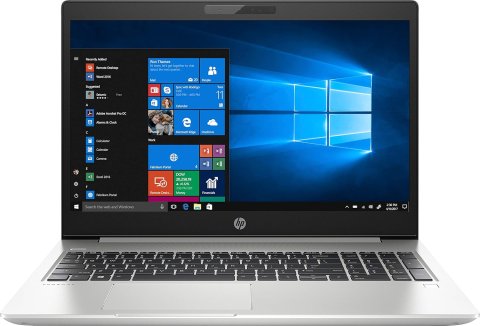
Start with products that have clear demand, accurate prices and available stock. Do not upload many products that you cannot deliver. It is better to start with a small, accurate catalog than a large catalog with wrong prices or missing stock.
Good first products include best sellers, products with strong photos, products with clear specifications and products you can deliver quickly.
5. Take clean product photos
Photos sell before words do. Use bright light, a clean background and several angles. Show the front, side, back, package, accessories, size and important details. If the product has a scratch, color difference or special condition, show it clearly.
Do not use confusing photos from different products. Buyers trust sellers who show the real item clearly.

6. Write product titles that customers search for
A strong title uses words customers would type in search. Include the brand, model, size, color, quantity or main use when it matters. For example, write HP EliteBook 840 G5 Laptop, i5, 8GB RAM, 256GB SSD instead of only nice laptop.
Clear titles help your product appear in searches and reduce repeated customer questions.
7. Add full product details
The product description should answer the questions a serious buyer will ask: What is it? What condition is it in? What size, color or model is available? What comes in the package? Is there a warranty or after-sale support? Where can it be delivered?
For electronics, include the model, storage, memory, processor, battery, accessories and condition. For furniture, include size, material, color and delivery notes. For food or restaurant items, include quantity, ingredients where helpful and preparation or delivery time.
8. Set fair prices and accurate stock
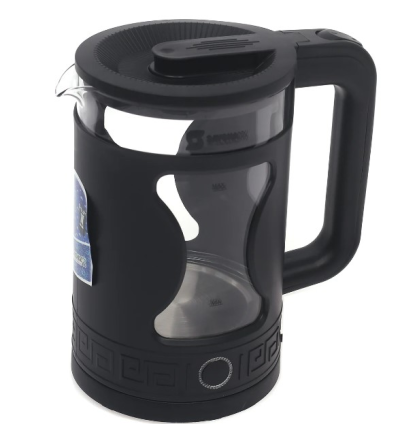
Use prices that match your market, your costs and your delivery promise. If you offer a discount, show the real value. Keep stock accurate so customers do not order products you no longer have.
Wrong stock damages trust. Accurate stock helps you complete orders faster and receive better reviews.
9. Choose delivery areas and shipping settings
Decide where you can deliver and how long delivery normally takes. If HafiExpo shipping tools are available to your shop, set your shipping zones, delivery methods and delivery times carefully. Customers buy more confidently when they know whether the product can reach them.
For large items such as furniture, construction materials or appliances, explain delivery conditions clearly.

10. Publish and review your listing
After publishing, open the product page as a customer would. Check the title, photos, price, stock, description, category and delivery information. If anything looks unclear, edit it before buyers start ordering.
A few minutes of review can prevent many support questions later.
11. Manage orders quickly
When an order arrives, confirm the product, prepare it, update the order status and communicate if anything needs clarification. Customers appreciate speed, but they also appreciate honest updates.
If tracking or delivery assignment tools are available, use them. Good order management makes your shop look professional.
12. Respond to messages, comments and reviews
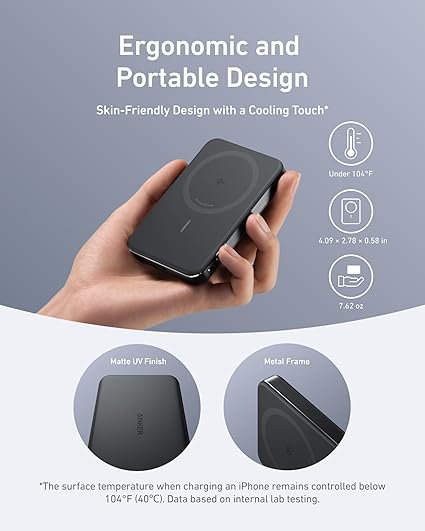
Many customers ask questions before buying. Reply clearly and politely. After delivery, encourage honest reviews. Good reviews help new customers trust your shop, while complaints show you what needs improvement.
Do not ignore repeated questions. If customers keep asking the same thing, add that information to the product description.
13. Use discounts, promotions and live selling
When available, discount codes can help you move stock, reward loyal buyers or promote new products. Promotions can give selected products more visibility. Live selling can help you show products in real time, answer questions and create urgency around offers.
Use these tools with a plan. Promote products that have stock, good photos and a clear price.

14. Watch your dashboard and improve
Your seller dashboard can help you understand sales, product activity, customer feedback and account balance. Review it often. Products with many views but few orders may need better photos, stronger descriptions, better pricing or clearer delivery information.
Selling online improves through small corrections made every week.
15. Habits of successful HafiExpo sellers
- Use real, bright product photos.
- Write searchable product titles.
- Keep price, stock and delivery information updated.
- Reply quickly to customer questions.
- Prepare orders carefully and on time.
- Use discounts and promotions for products that are ready to sell.
- Ask satisfied customers to leave honest reviews.

Turn your shop into a digital business
HafiExpo is built to help businesses sell beyond one physical location. With good photos, honest descriptions, organized delivery and quick communication, your shop can reach more customers and look more professional online.
Start selling on HafiExpo today and give customers a simple way to discover, trust and buy from your business.
Related Posts
Learn how to sell on hafiexpo.com,
HafiExpo: Opportunities for Every Sector in Rwanda