 English
 Kinyarwanda
How to Buy on HafiExpo: A Simple Step-by-Step Guide for Smart Shoppers
Learn how to buy on HafiExpo: search products, compare details, add to cart, enter delivery information, choose payment, track your order and shop safely.

Buying on HafiExpo is designed to be simple: search for what you need, check the product details, place your order, choose the available payment and delivery option, then wait for your product to reach you. This guide explains the full journey so every customer can shop with confidence.
Whether you want a phone, laptop, home item, food product, office supply, wedding card, restaurant item or construction material, HafiExpo helps you compare options before you buy.
1. Start by searching for the product you need
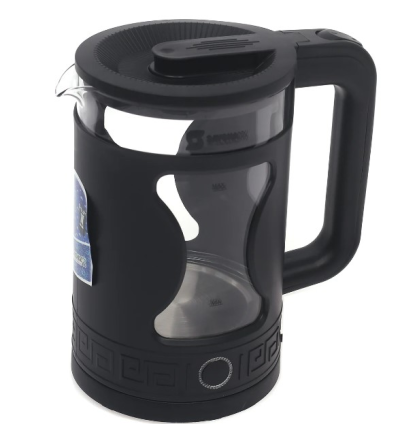
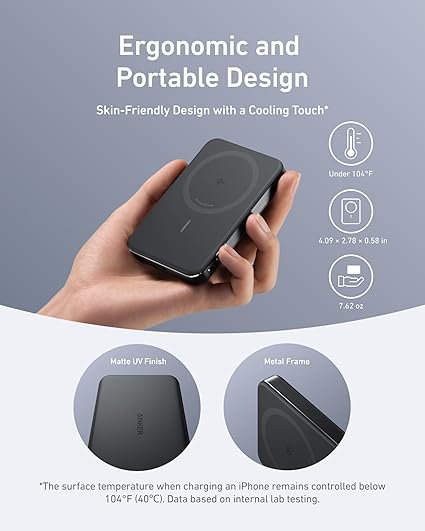
Use the search bar or open product categories to find what you want. You can search by product name, brand, category or common words like phone, laptop, sofa, kettle, power bank, food or invitation card.
Good searches are short and clear. For example, instead of searching a long sentence, try Google Pixel, HP laptop, electric kettle or sofa.

2. Compare photos, price and product details
Before you add anything to cart, open the product page and review the photos, title, price, condition, specifications and seller information. For electronics, check storage, RAM, processor, model, battery or other important details. For home products, check size, color, material and quantity.
Photos help you see the real product more clearly, but the written details are just as important. Read both.

3. Check availability, stock and options
Some products may have options such as color, size, model, quantity or package type. Choose the right option before checkout. Also check whether the product is in stock, sold out, pending or hidden from sale.
If the product has variations, make sure your selected option is exactly what you want.
4. Add to cart or request a quote
Many products can be added directly to cart. Some products may use quote requests, especially when price depends on quantity, delivery area or negotiation. If you see a quote option, submit the request and wait for the seller response before payment.
Use the cart to review everything together: product, quantity, price, discounts and delivery details.
5. Create an account or log in
An account helps HafiExpo save your order information, show your order history and let you track progress. Use correct names, phone number and email so support or delivery partners can reach you when needed.
If you already have an account, log in before checkout to avoid losing your cart.
6. Enter a clear delivery address
Delivery works best when your address is complete. Add district, sector, cell, village or landmark where possible. If you are in Kigali or another town, include a nearby known place. If you are in a rural area, write directions that a delivery partner can understand.
A clear address reduces delays and phone calls.

7. Choose the available payment method
At checkout, HafiExpo shows the payment methods available for your order. Depending on platform settings, seller settings and order type, options may include mobile money, wallet balance, bank transfer or cash on delivery. Choose the option you can complete correctly.
When paying online, confirm the amount before you approve payment. When using cash on delivery, prepare the correct amount and receive the product before completing the handover.
8. Confirm the order and follow the status
After checkout, check your order page for the latest status. Your order may move through stages such as processing, shipped, delivered, completed or cancelled. If tracking information is added, use it to follow the delivery.
Keep your phone reachable after ordering, especially if delivery needs directions.

9. Use messages and support when something is unclear
If you have a question about a product, delivery or payment, use the available HafiExpo communication and support channels. Avoid sending money outside the order process unless HafiExpo clearly instructs you through an official flow.
Keeping communication inside the platform makes it easier to review the order if there is a problem.
10. Inspect the product when it arrives
When your order arrives, check that the product matches what you ordered. Look at model, color, quantity, condition and accessories. For electronics, check that the item powers on and matches the description as much as possible during handover.
If there is a problem, report it quickly through the order or support process.
11. Leave a review after buying
Reviews help other customers and also help good sellers grow. If the product and service were good, leave honest feedback. If something was not right, explain it clearly so the seller and HafiExpo team can improve.
12. Shopping tips for better results
- Compare at least two products before buying.
- Read the product title and description, not only the photo.
- Check price, quantity, condition and delivery area.
- Use a clear phone number and delivery address.
- Keep your order communication on HafiExpo.
- Do not rush payment before confirming order details.

Buy smart, buy near you
HafiExpo helps customers discover products from different sellers in one place. The smartest buyer is the one who compares, reads, asks when needed and confirms all details before payment.
Start shopping on HafiExpo today and find products near you at better convenience.
Related Posts
How to Sell on HafiExpo: A Step-by-Step Guide for Rwandan Businesses
HafiExpo: Opportunities for Every Sector in Rwanda